
Portable vs installer edition
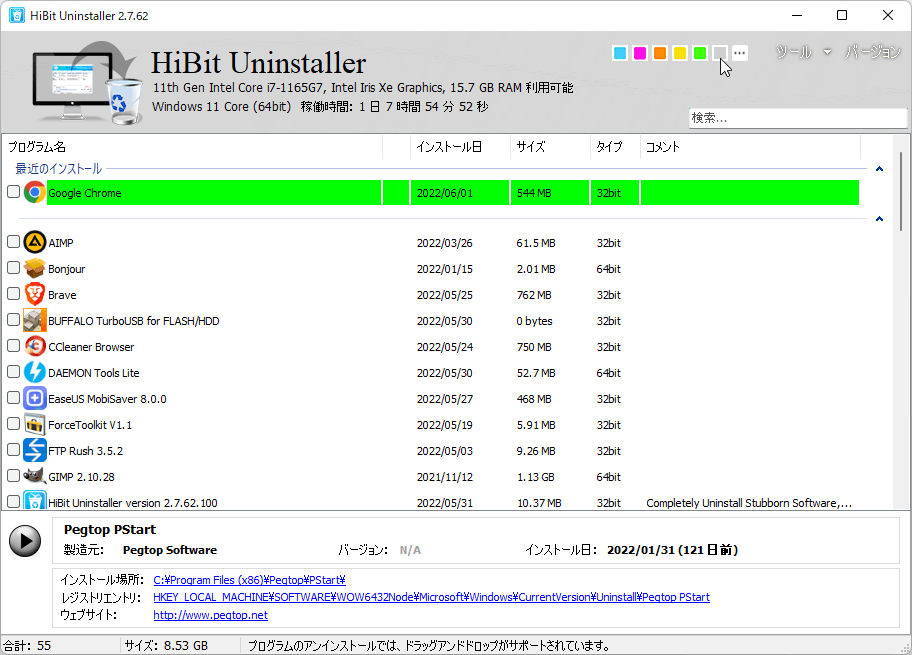
HiBit Uninstaller is distributed as a small portable package and as a traditional installer. Both aim to offer the same core uninstall features; the difference is how the files land on disk and how convenient the tool is for repeat use on one PC versus occasional use from removable media.
What “portable” means here
In this context, portable means you extract or copy a folder and run the executable without running a classic setup wizard that writes deep integration entries (though Windows may still record execution in jump lists or Defender history, like any program). You can keep the folder on an internal drive, a secondary disk, or a USB stick. It is a strong fit when you want a single folder you can delete wholesale or move between machines.
What the installer edition adds in practice
An installer typically places shortcuts under Start, registers the app for clean uninstall from Settings, and may associate file types or protocols only if the vendor chose to do so. For users who live on one primary desktop and want “find it like any other app,” that familiarity matters. If your organization expects software to appear in inventory tools that scan ARP-style entries, the installed build can be easier to justify on paper.
Administrator rights and deep cleanup
Whether portable or installed, elevated (Administrator) rights are often needed to remove files under Program Files, certain service registrations, or protected registry areas. Portable mode does not remove that requirement for aggressive cleanup. If a removal fails with access denied, right-click HiBit and run as administrator before assuming the edition is wrong.
When the portable build is the better default
- You repair many PCs and want one USB toolkit without leaving installers behind on each machine.
- You prefer not to add another entry to the installed programs list on a minimal “clean room” test VM.
- You upgrade by replacing a folder and do not rely on an updater service.
When the installer edition is the better default
- You want Start menu and optional desktop shortcuts created for you.
- You standardize one workstation image and expect every utility to be installed like other desktop software.
- You use automated deployment that expects an MSI or EXE silent install (follow vendor documentation for your version).
Updates and version drift
Portable users should adopt a simple habit: keep the download page bookmarked or subscribe to vendor release notes, then replace the folder when a new build ships. Installed users may still need manual checks depending on how the product delivers updates. From a security hygiene perspective, both paths require you to verify you downloaded from a trusted source.
How this ties to uninstall quality
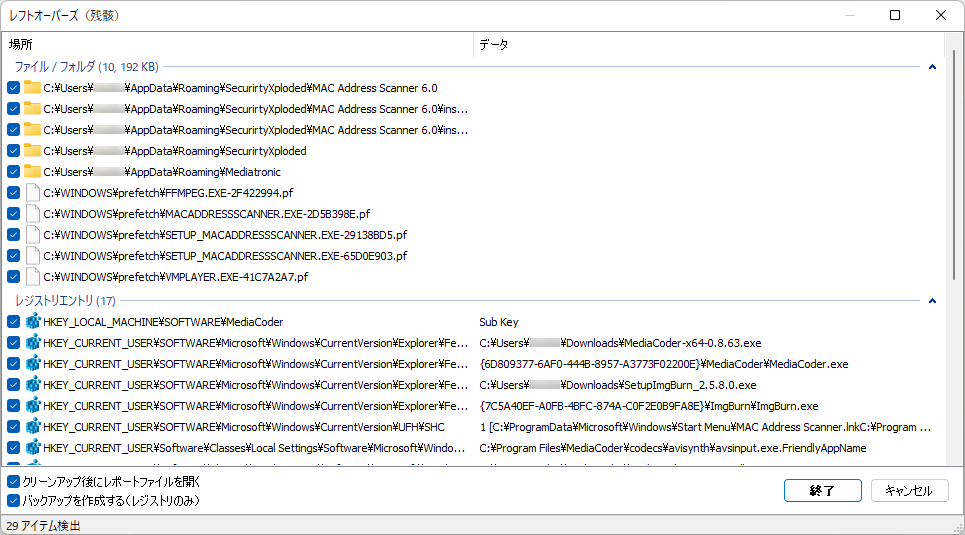
Edition choice rarely changes how thoroughly HiBit can scan for leftovers after removing another vendor’s app. What matters more is workflow: run a normal uninstall first, then review the leftover scan, and reserve force uninstall for broken packages. See also the topics hub for every homepage section in one list.
Security and provenance
Portable folders are easy to copy between machines, which also means it is easier to accidentally run a tampered build if someone swaps the EXE on a shared USB drive. Prefer read-only media or checksum-verified archives for field kits. Installed builds are still subject to tampering if an attacker has admin rights, so the real rule is: download from sources you trust, verify hashes when the publisher publishes them, and keep Windows Defender or your EPP stack up to date.
Labs, IT desks, and compliance
If your security team inventories software from Add/Remove Programs data, the installed edition may reduce help-desk questions (“Why is HiBit not in Settings?”). If you are imaging classroom PCs and want zero extra ARP entries, portable may fit better. When policy requires code signing checks or controlled paths, follow the standard your org already uses for other portable utilities.
Quick answers
- Does portable skip UAC?
- No. Elevated operations still prompt when Windows requires them.
- Can I switch later?
- Yes. Export settings if the product offers it, download the other build, and retire the old folder or uninstall the old package cleanly.
- Which is “safer”?
- Safety comes from procedure—backups, restore points, and cautious leftover review—not from the packaging format alone.