
Download HiBit Uninstaller
hibit-uninstaller.com is an independent informational site. It is not the official website of the software author. Use the button below to fetch the current build from our download partner; verify the file with Windows Defender, VirusTotal, or your organization’s tools before executing anything from the internet.
HiBit Uninstaller is a compact Windows utility for removing desktop programs, scanning leftovers, and batching cleanup. The same feature set is offered as a portable folder you can unzip anywhere and as a classic installer that registers like other desktop apps.
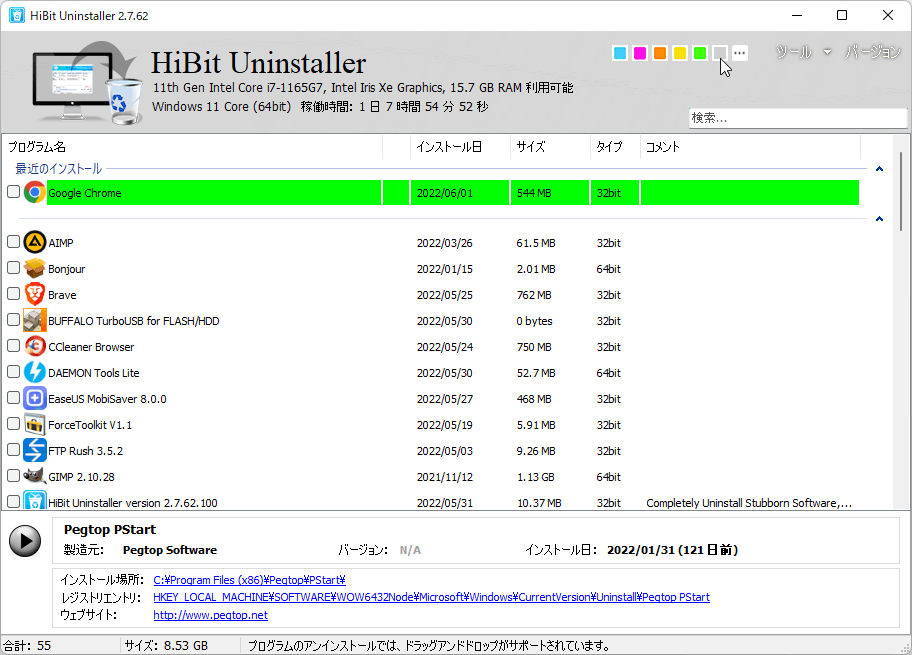
Screenshot: main program list—uninstall, force uninstall, and context actions.
Portable vs installer (at a glance)
| Topic | Portable | Installer |
|---|---|---|
| Deployment | Copy a folder; run the EXE | Run setup; Start menu shortcuts |
| “Installed programs” list | May not appear in Settings → Apps | Usually listed like other desktop software |
| USB / field kit | Ideal for technicians | Less convenient to move between PCs |
| Deep uninstall power | Same core engine when elevated | Same core engine when elevated |
For a full discussion, read portable vs installer edition on the blog.
System expectations
- OS: Windows desktop releases HiBit supports (see the homepage feature block for the stated range).
- Privileges: Run as Administrator when removing software under
Program Filesor cleaning protected registry keys. - Disk space: The program itself is small; free space mainly matters for backups, restore points, and large app removals.
- Network: Not required for uninstall work; only needed when you download updates or this page’s button redirects to the file host.
Before you run it
- Close apps you plan to uninstall and save open documents.
- For deep cleanup, create a restore point and read the leftover scan guide.
- Follow the homepage tutorial for standard vs force uninstall order of operations.
- If you use installation monitoring, start a trace before running third-party installers you may remove later.
Learn more on this site
- Topics hubHomepage anchors, guides, blog posts, glossary, and privacy—mapped in one place.
- Blog indexEditions, monitoring, restore points, and startup cleanup articles.
- Portable vs installerWhich edition fits your workflow.
- Force uninstall guideWhen Settings or Control Panel fails.
- GlossaryTerms like leftovers, session backup, and Store apps.